November 17th, 2025
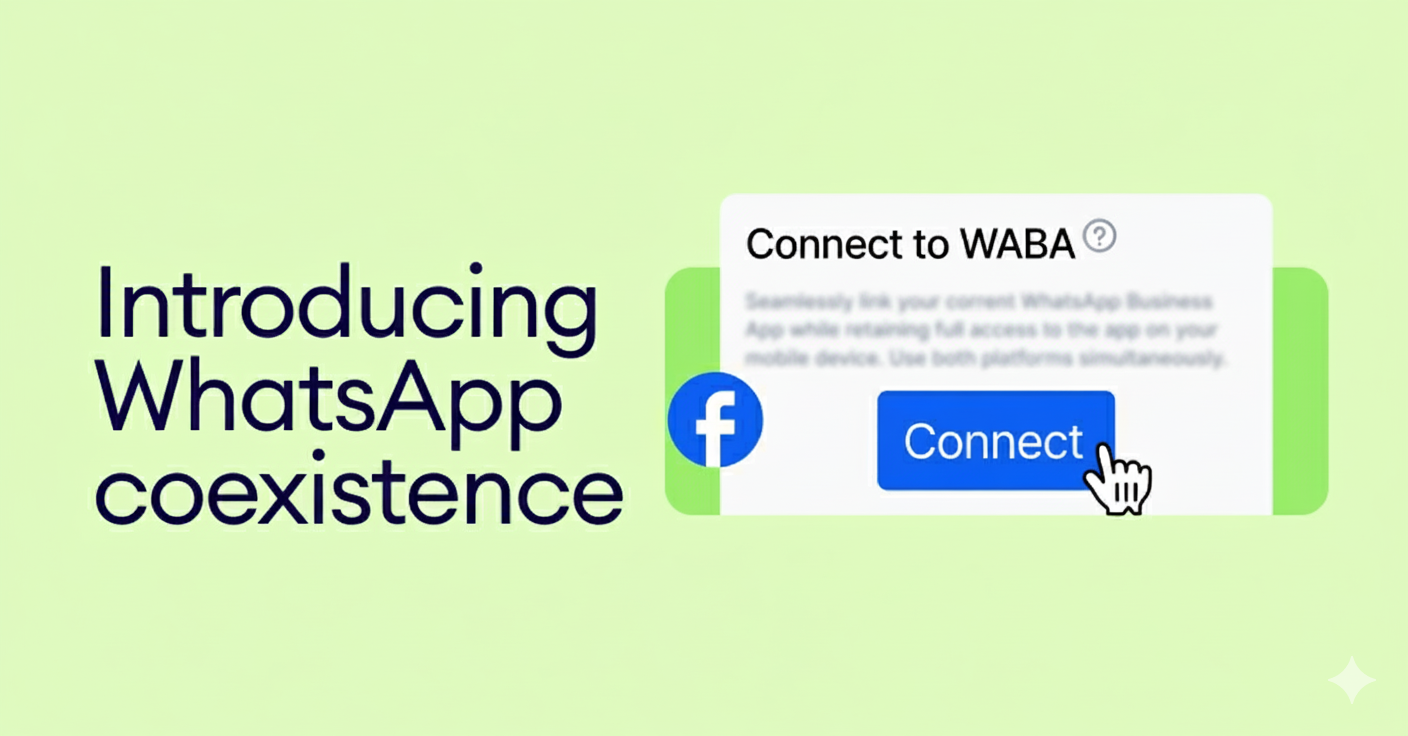
Meta has recently launched a new feature in the WhatsApp Business App called WhatsApp Coexistence.
This feature allows you to use the same WhatsApp Business App number on the WhatsApp API, enabling you to send broadcasts with buttons without the risk of bans.
To enable this, the new WhatsApp API onboarding process works through QR-based sessions (similar to WhatsApp Web login).
Since Meta is still rolling out this feature globally, some users may experience the following temporary issues:
⚠️ Session disconnections
⚠️ Campaigns stopping unexpectedly
This behavior is expected during the rollout phase and will stabilize once Meta fully completes the global release of WhatsApp Coexistence.
Our system will automatically reconnect sessions whenever possible, and no action is required from your end.
We’ll keep monitoring this closely and update you as soon as the rollout is fully stable.
Thank you for your patience!
— Team WhatsEra
August 6th, 2025
New
Hello!
Get ready for a massive upgrade! We've been listening to your feedback and working tirelessly to build the next generation of WhatsEra. Today, we are incredibly excited to unveil a completely redesigned platform that goes far beyond what you've known.
We’ve kept the simplicity you love and supercharged it with powerful new features for WhatsApp and, for the first time ever, Email marketing—all in one place.
Let's dive into the details of what's waiting for you inside.
✨ Your New & Improved Toolkit: A Detailed Look
Centralized Contact Management
Say goodbye to managing multiple contact files! Our new unified contact hub makes audience management a breeze.
Single Contact Grid: Simply upload your contact file once. Our intuitive system allows you to easily map your data to relevant fields (like name, city, or order number).
Lists & Segments: Effortlessly organize your contacts into specific Lists or create dynamic Segments based on their behavior or attributes. This allows for hyper-targeted campaigns.
Advanced Filtering: When creating a campaign, use advanced filters to send messages to exactly the right audience, maximizing engagement and relevance.
Unified Channel Management
All your communication channels, are now neatly organized in one place.
Manage Senders: Easily add, monitor, and manage your Official WhatsApp API numbers, your trusted scanning-based WhatsApp accounts, and your Email Domains/Senders without ever leaving the dashboard.
Read here in detailed about WhatsApp API.
Streamlined Template Creation
WhatsApp Template Sync: No more manual work. Create your message templates in your Meta Business Manager, click the "Sync" button in WhatsEra, and all your approved templates will appear instantly, ready to use.
Drag-and-Drop Email Builder: Craft beautiful, responsive HTML emails with our intuitive drag-and-drop builder. No coding required! Or, if you have your own design, simply paste your code into our HTML editor.
Smart File & Snippet Management
File Manager: Keep your media organized. Create specific folders for your campaign attachments (like PDFs, images, or videos) so you can find and use the right file at the right time.
Snippets for Interactive Messages: Pre-build your interactive WhatsApp elements! Create and save reusable Buttons and List Messages as snippets to add them to your API campaigns in seconds.
Simplified Campaign Creation & Analytics
We've redesigned the campaign creation process to be faster and more intuitive than ever.
Effortless Setup: A simple, step-by-step flow guides you through the process: Name your campaign, select your recipients (using your new Lists & Segments!), choose your channel and sender, pick your message/template, and launch!
Detailed Campaign Analytics: Go beyond 'sent' and 'delivered'. Dive deep into the performance of every campaign with specific analytics for each channel, tracking open rates, click-throughs, replies, and more.
Powerful Automation & Drip Sequences
Intuitive Auto-Responders: Build detailed and intelligent chatbots with our simplified, step-by-step creator. Handle FAQs, qualify leads, and provide instant support automatically.
Sequence/Drip Campaigns: Design powerful automated "drip" campaigns for both WhatsApp and Email. Nurture new leads, onboard customers, or re-engage old ones by setting up a sequence of messages with unique templates and custom delays between each one.
🤔 What Does This Mean for You?
As a valued WhatsEra customer, you now have the opportunity to unlock a suite of professional-grade marketing tools and elevate your business to a new level. Your familiar scanning-based service will continue to work as it always has, but you can now supercharge your account with these powerful new capabilities.
This new suite—including the Official WhatsApp API, Email Automation, and advanced analytics—is available as a premium upgrade, designed to give you an unparalleled competitive edge. We've structured it to be an optional expansion, allowing you to choose the tools that best fit your growth strategy.
🚀 How to Unlock Your New Superpowers
Ready to see how the all-new WhatsEra can transform your marketing? The next step is to get a personalized tour and a custom plan tailored to your business needs.
We invite you to connect with us directly to explore these new features.
Contact Your Account Manager: Reach out to your dedicated account manager to discuss your specific needs. They will work with you to create a custom upgrade plan that aligns with your goals.
Email Our Success Team: Drop us a line at [rahul@mail.whatsera.com] or call [+917410936009] reply to the email you received, and our Customer Success team will get in touch to provide all the details and guide you through the next steps.
We are excited to partner with you on this next phase of your growth. Contact us today to get started!
— The WhatsEra Team
July 8th, 2025
Improved
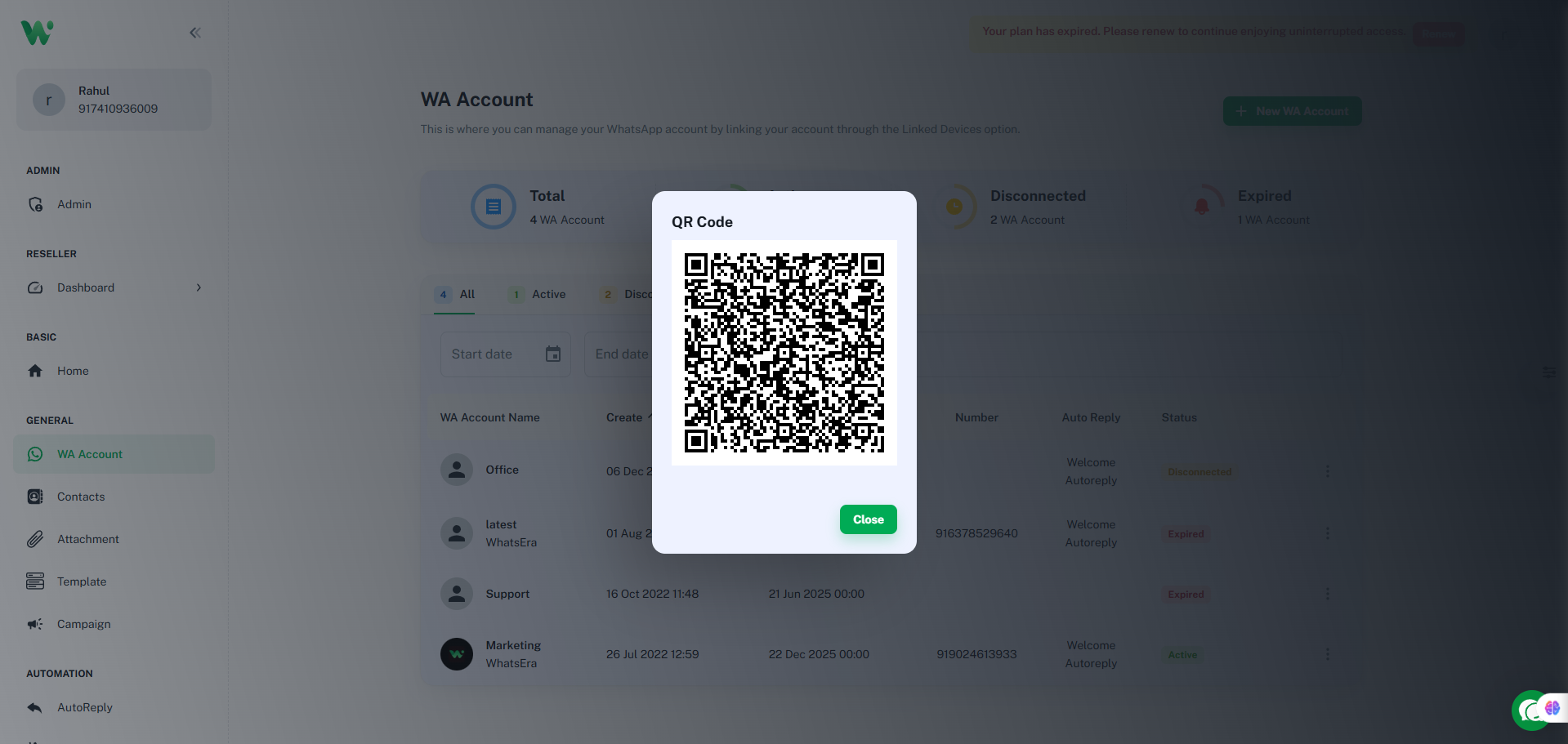
WhatsEra has been updated to align with WhatsApp's latest update, causing all WA accounts (channels) to disconnect. To resume using your account, please reconnect your WA account to your active WhatsEra plan (with a valid due date) promptly! 🚀

Steps to Reconnect:
Open your WhatsEra dashboard and navigate to WA account 🖥️.
Select the WA account tied to your active plan 📅.
Click the three-dot menu (⋮) and choose Connect 🔗.
Scan the QR code using the WhatsApp account you wish to link 📱.
Facing Issues?
Contact our Support Chat or visit WA account for fast assistance! 🛠️
July 2nd, 2025
New
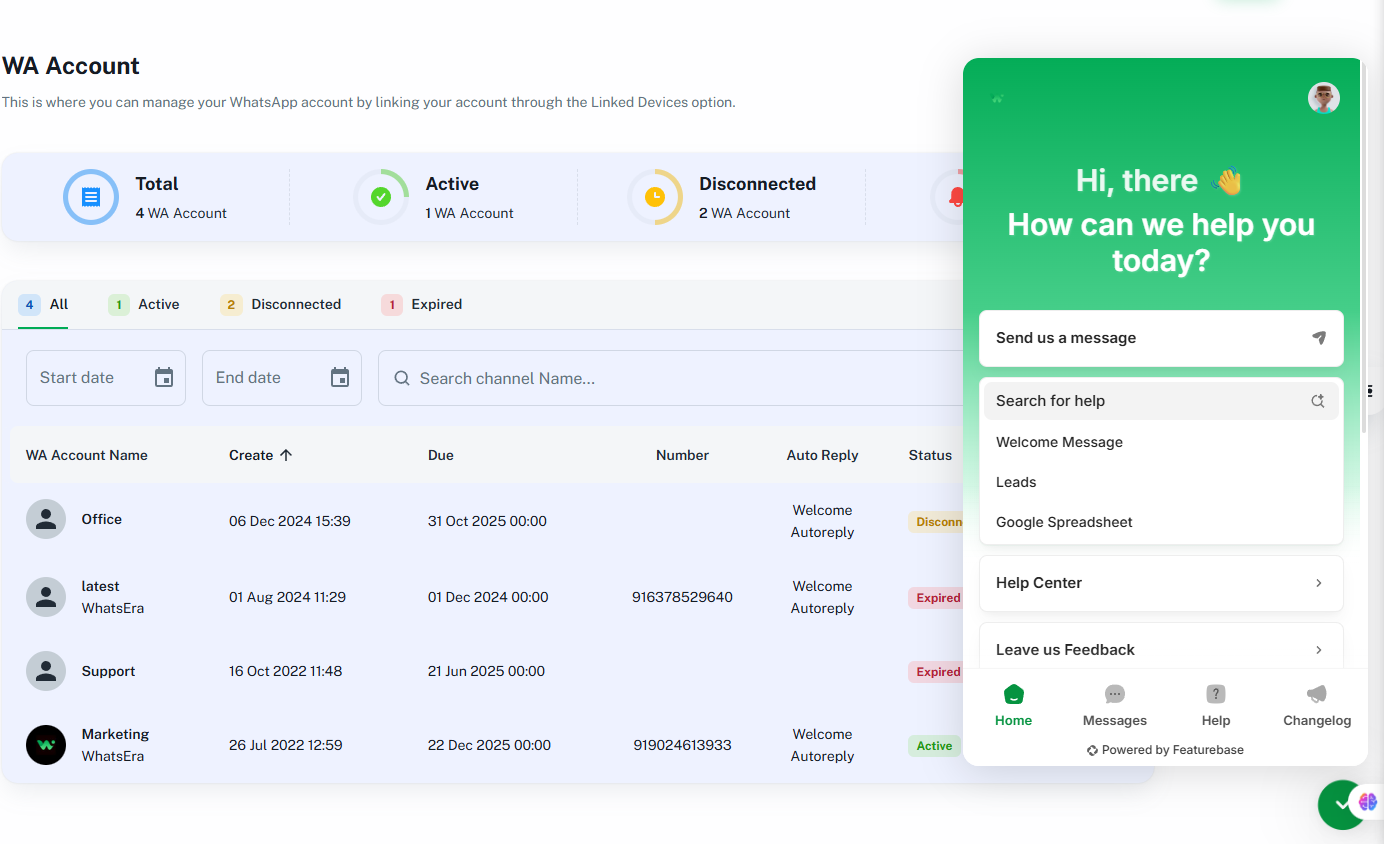
We’ve integrated Featurebase in-app support chat into our platform! 🎉
Now, users can get help without ever leaving the app.
Here’s what’s new:
💬 Instant Chat Support: Drop your queries right inside the app – our support team is active and ready to help!
🎥 Product Walkthroughs: Learn how to use specific features through step-by-step guidance and tutorials.
🧠 Better Use Case Discovery: Get suggestions on how to use features more effectively for your business.
📞 No More Waiting on Calls: Prefer chat support for faster and more organized help. We're prioritizing support through the widget.
Just click the support widget in the bottom-right corner and get started!
January 30th, 2025
Fixed
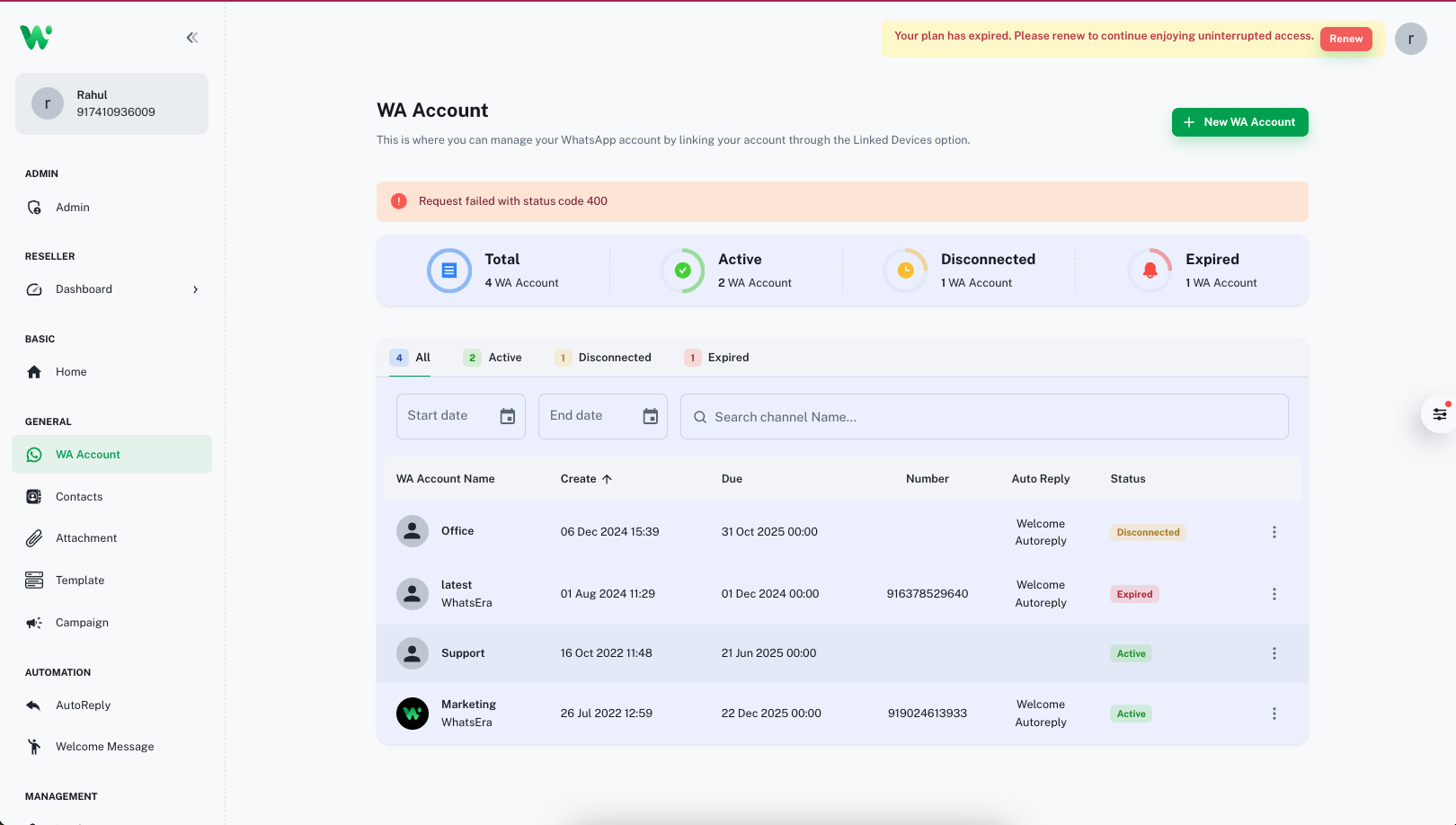
Request failed with status code 404
If you previously encountered a 400 status code while logging out of a channel or connecting an account, the issue has now been successfully resolved. You should now be able to refresh the page and reconnect without any errors.
Thank you for your patience – everything should be working smoothly now! ✅
If you face any further issues, feel free to reach out to our support team.